

Welcome back to this occasional series on Fuller FM, where I look back at a football management PC game from years gone by. I did not write any retro reviews in 2023, but I’m starting off 2024 with another journey back through time.
The game I will be looking at is perhaps the most obscure one I’ve reviewed so far. This shareware title had a small but devoted following when it first came out just over 20 years ago, but has now seemingly disappeared into obscurity.
Well, how about we revisit it now – and perhaps reintroduce it to a new generation of fans? From Germany, this is Andreas Osswald’s Championship Soccer.
BACKGROUND
As a newly-online teenager in 2003, I tried out any shareware or freeware football game that I could download in my first few months on the internet. The original New Star Soccer was one of very few games to make a positive and lasting impression – but Championship Soccer was another.
Impressively, this game was essentially made by just one man – a German programmer named Andreas Osswald. He later went on to found the Nürnberg-based software development company Adrastea, which produced a number of iPhone games between 2009 and 2016.
The first version of Championship Soccer was released online in circa 2003 as shareware. You could play the game for free for about half a season, and then you’d have to buy the full version to continue your career.
The 2004/2005 version got a commercial release, courtesy of Dutch publishers Xing Interactive (who traded under the name Magnussoft in Germany). The most recent version was the Championship Soccer Pro Edition from 2010, which I will be reviewing today.
There are no official licences, so all players are fictional and all teams have slightly different names from their real-life counterparts. Fortunately, the game’s data files are text documents that are pretty easy to edit. You can use these to add your own teams, players, nations, and even set up leagues and cup competitions.
At its mid-2000s peak, there were several user-made data files that allowed you to use real teams, but these sadly seem to have been lost to time. For this review, I will be using my own data files I made as a teen. These are set in a fictional nation that I have been creating and developing since I was about 8 years old.
STARTING OUT

Upon installation, Championship Soccer weighs in at around 20 megabytes (yes, megabytes), which is not a lot even by mid-2000s standards. But don’t let its size deceive you – CS can let you load up to 50 leagues, containing up to 1,500 teams. The base game comes with leagues in 23 nations.
After setting up your game, you can name your character and choose a game mode. Player allows you to control a single player, in any position you like (even goalkeeper!). Player-manager allows you to take charge of team selection and transfers, while controlling either a single player or the entire team during matches. Manager lets you focus on the managerial stuff, while the AI controls your players in matches.
If you want to be a player, you can either choose your starting club or be a free agent and wait for teams to make you offers. Once you have a team, you’ll have to impress the coach in training before you get a chance to play. The controls are simple enough to learn, and there’s a handy little arrow above your player telling you where he should be on the pitch.
The player career is probably the game’s biggest selling point, allowing you to start off at 16 years old in one of the lowest divisions, and then steadily work your way up the pyramid. Nonetheless, I will be focussing on managerial stuff for the rest of this review.
CS isn’t the most demanding management simulator, as you only really have to worry about picking your team, making transfers, and offering pay rises if your players want them. You can also keep tabs on the top prospects in your youth academy and promote them to the first-team if you so wish.
You can easily progress through a whole season in around two or three hours, if not less. If you don’t want to watch every single match play out in 2D, you can speed the game up even more by clicking “Result only”, which will quickly generate a result.
WHAT I LIKED
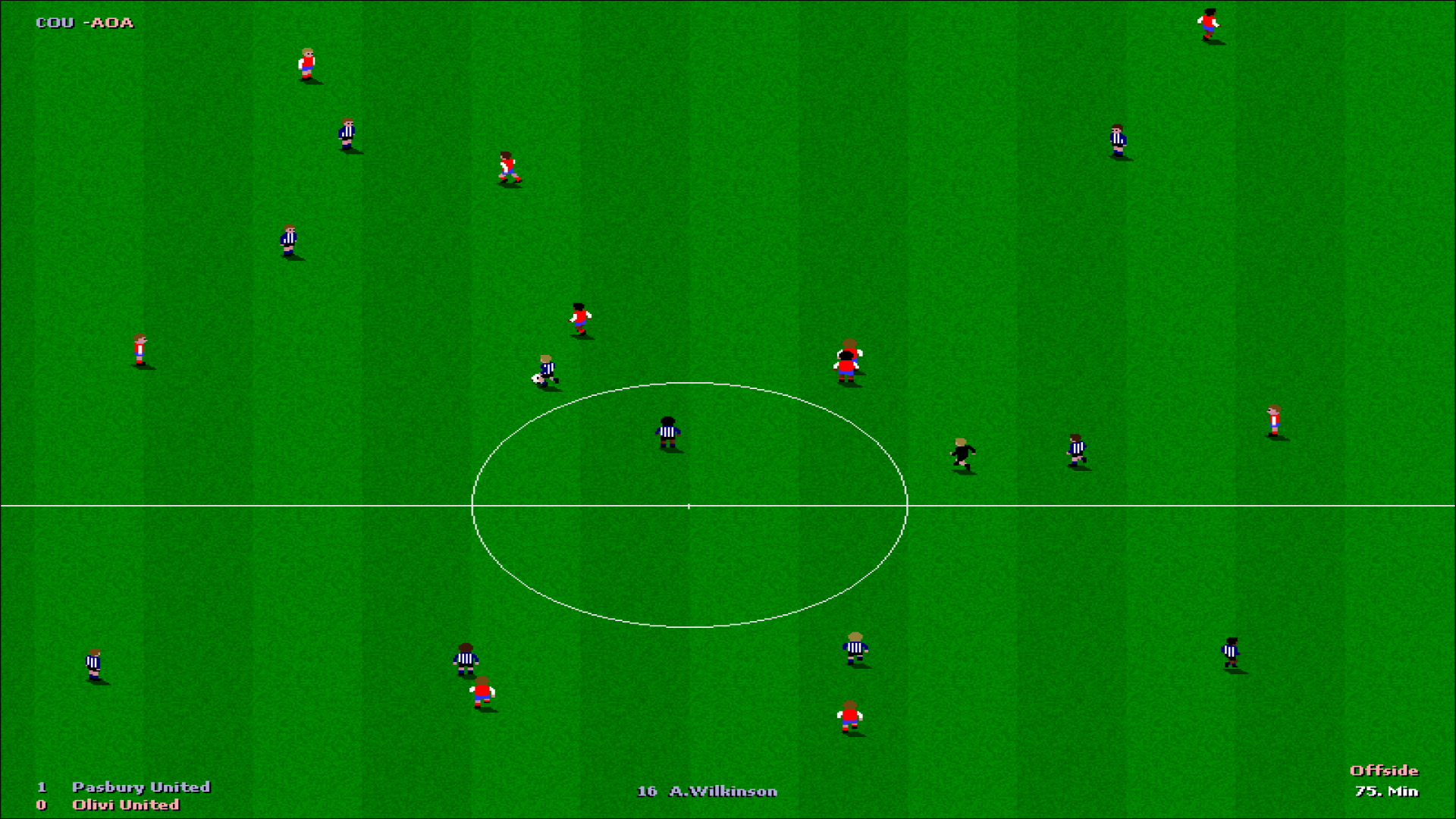
Championship Soccer comes with many different options that allow you to play the game exactly how you like. Like in FIFA (or EA Sports FC, if you prefer), you can change the match speed – from 2.5 minutes per half up to a full 45. You can also reduce or increase various parts of the match engine, such as player speed and shot power.
While the in-game menus aren’t the prettiest to look at, the league tables and player statistics (or topcharts) are laid out pretty nicely – a bit like on old-school Teletext. It’s also quite simple to set up your team on the “Squad and tactics” page by dragging and dropping players – or moving dots around on the pitch.
Just bear in mind that players can only play in one position and on one side. For example, a central midfielder (M C) is likely to suffer a performance penalty if you play him in defensive or attacking midfield or out wide.
Then we have the top-down 2D graphics, which will evoke memories of Sensible Soccer for some kids from the 1990s. I wasn’t a huge Sensi fan in my youth, but I do like this simple art style. Even the sodden pitch textures on stormy nights are oddly satisfying to experience, as are the flashes of lightning and sound of thunder.
Seeing the ball hit the back of the net is particularly special. “GOAL!!” flashes up on the screen four times, followed by the names of the goalscorer and (if relevant) the assist-maker.
The scoreboard on the bottom-left and the timer on the bottom-right are unintrusive, even if the text is a bit small. Just above those, you will see score updates from other matches in your league/cup tick by as the goals go in.
WHAT I DIDN’T
While the match graphics look nice, the engine itself isn’t the most sophisticated beast. You’ll frequently see players making bizarre decisions and running around like headless chickens. The goalkeepers aren’t great either, so you’ll often see strikers get past them with ease and tap the ball into an empty net.
Heaven forbid you ever get to endure a penalty shoot-out. Penalty conversion rates are AWFUL, with most spot-kicks either missing the target, hitting the post or giving the keeper an easy save. While goal celebrations and half-time intervals can be skipped to speed the game up, you still have to watch these torturous shoot-outs play out in full.
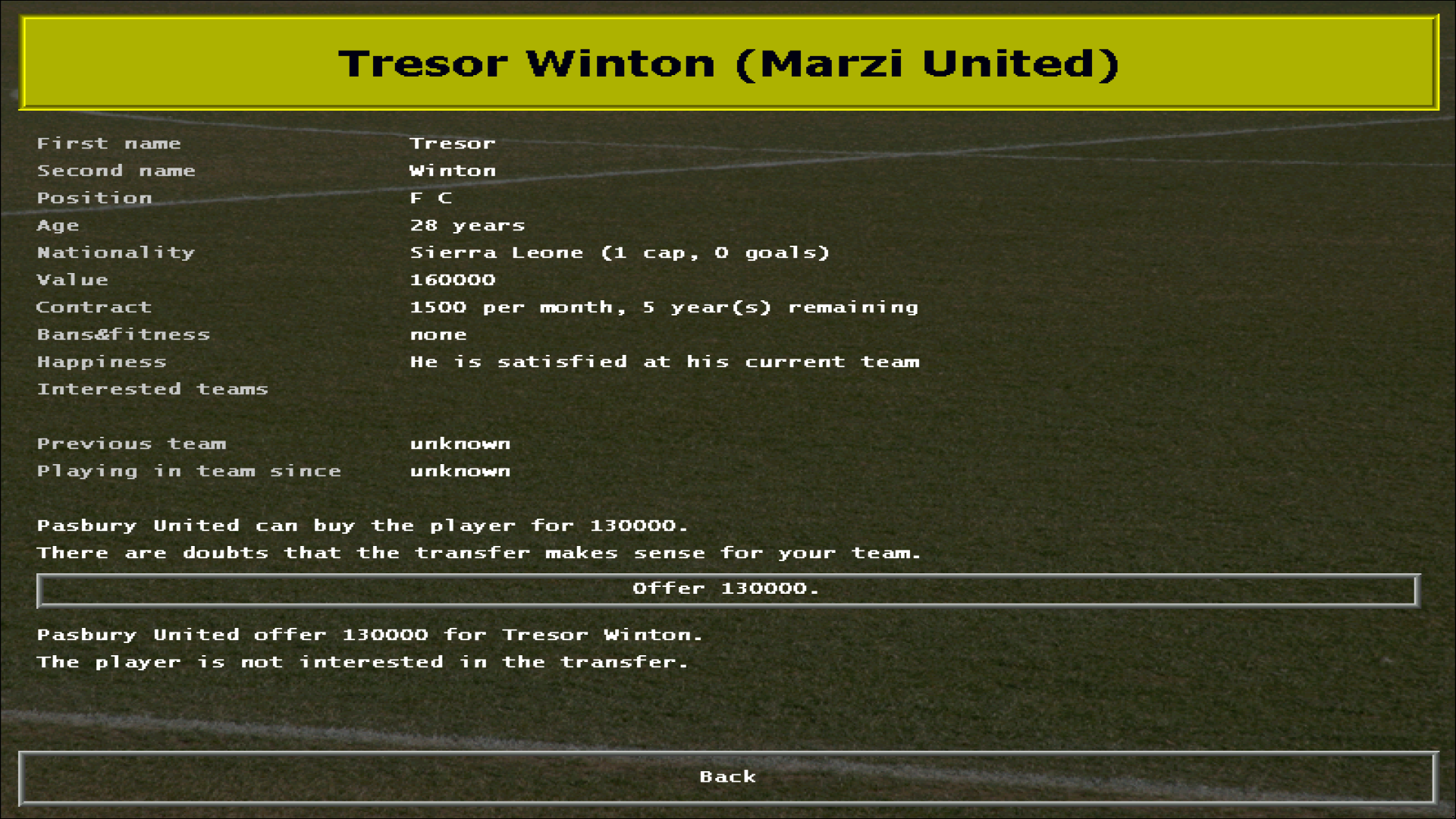
And though this is a pretty simple game at heart, there are some areas where things could have been fleshed out more. Transfers are especially basic – you approach a player, his club suggests a fee, and then you either accept it or reject it. If you agree to the fee, the player will suggest a basic wage and contract length, which you must either take (and complete the transfer) or leave. No room for negotiations here.
Likewise, training is very basic. At the end of each week, you get a quick report showing which players have improved or regressed in specific attributes. That’s it. At least if you’re in player mode, you can choose which attributes you want to focus on improving.
You might also encounter the odd crash or technical issue. For example, if you tab out of the game and then open it up again, the background image will disappear and leave a black screen behind the text and icons. A similar thing happens if you do this during a match, where you will return to see the teams playing in darkness. Hey, who turned out the floodlights?
WE MUST TALK ABOUT…

Customisation. Championship Soccer’s “comprehensive editing possibilities” – as Osswald puts it – are a key reason why this game scores well for longevity.
As mentioned, you can easily edit the game’s league and team files in Notepad and customise to your heart’s content. You’ll find a quick guide on ‘how to edit’ in the game’s Documentation folder, which explains everything pretty well.
A nation’s league pyramid can contain as many as 12 divisions – and these in turn can have up to 24 teams. CS even allows you to create your own nation with its own name pool (as I have done), and you can add their teams to continental and international competitions.
However, there are a few limitations. You can’t create any regional league divisions (no National League North/South), and there are no play-offs either (promotion/relegation is always automatic).
The customisation options don’t end there, though. You can change the game start year, so you can kick off a new career in 2024 if you want. And as if that wasn’t enough, you can even create your own language files to go with the 11 that are already in the game.
SUMMARY

Championship Soccer isn’t the most in-depth football game I’ve ever played, but it’s certainly a charming game that I’m still happy to revisit. Nostalgic Sensi players in particular may get plenty of enjoyment out of this. It is just a shame there are no real-life data files readily available to add more immersion to the experience.
The full game is available to download for free on the Championship Soccer website. It will naturally run best on older PCs running Windows XP or Vista. If you have a newer system that runs Windows 10 or 11, you will also need to download an extra tool called dgVoodoo2 and copy it into the program folder, otherwise you will encounter some performance issues.
FULLER FM RATING: 3* – Football League.
Thank you for reading this retro review. Feel free to leave any thoughts you might have in the comments below – or tweet me @Fuller_FM.
 Fuller FM
You must be logged in to post a comment.