

It’s time for another of my occasional football computer game reviews. This is the oldest game I’ve reviewed so far, having come out back in 2009 – when the world was gripped by a pandemic (and an ongoing financial crisis), and Manchester was home to the Premier League champions. How times change.
Despite being a decade out of date, this game dropped on Steam in April, offering some retro football gaming action for only a couple of quid. At such a low price, surely it’s worth a shot… isn’t it?
The name may inspire nostalgia in gamers of a certain age, but does this game live up to its reputation? Let’s look at Premier Manager 10.
BACKGROUND
Our story begins in 1992, when a couple of plucky Brits released a football management video game that would transform the genre forever. Oh, and just a few months later, the Collyer brothers teamed up with Domark to bring Championship Manager into the world! I wonder what became of that…
Premier Manager was first released on the Amiga and Atari systems in April 1992, with an MS-DOS release following in 1993. Developed by John Atkinson and Alex Kewin from ‘Realms of Fantasy’, and published by Sheffield-based Gremlin Interactive, the original PM put you in charge of a Conference side. It got mixed to positive reviews.
A couple more versions were released in the mid-1990s, before the series took a major turn in 1996. Development was passed on to Dinamic Multimedia, who’d previously worked on the PC Fútbol series of games, which had been very successful in their native Spain.
Premier Manager 97 sported a sleek new look, several extra features, and the ability to manage a top-tier team from the start. It was well-received, as was Premier Manager 98, though that was little more than a 1997/1998 season update. 1999’s Premier Manager: Ninety Nine was basically ‘more of the same’, only with a photo of ex-England boss Kevin Keegan on the box.
Gremlin were later bought out by Infogrames, who published Premier Manager 2000 for the PlayStation. The series then had several low-key releases in the 2000s, courtesy of Zushi Games – Gremlin co-founder Ian Stewart’s new company. Premier Manager 2005 gained some notoriety when it was banned in China because it considered Tibet to be a separate state (amongst others).
And so we come to Premier Manager 10, which was released by Zushi in 2009 on PC. When Zushi collapsed a year later, some of its former employees started another company – Funbox Media Ltd, which picked up PM and are responsible for this particular version’s re-emergence.
Good grief! I swear Premier Manager has changed hands more times than Portsmouth! I’d better get on with this review before someone like Peter Ridsdale or Sam Hammam swoops in!
STARTING OUT
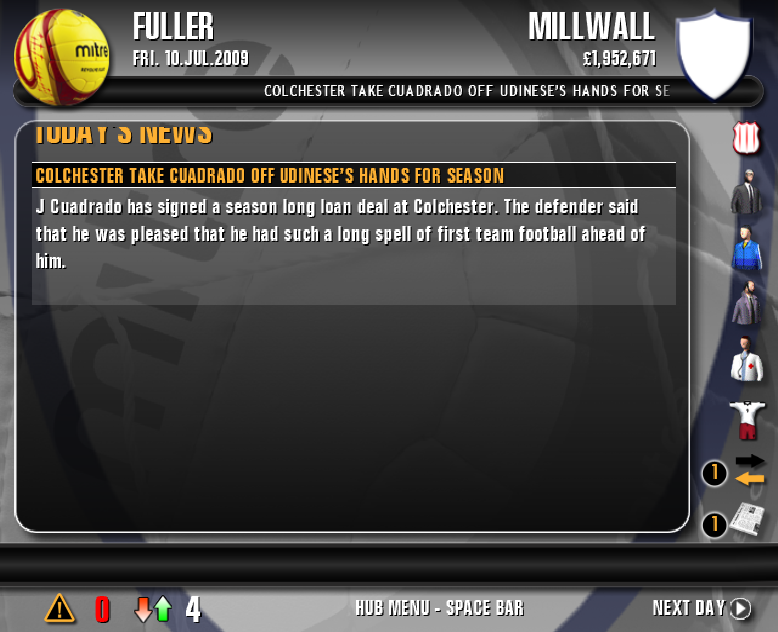
The game loads up in a window, which you can freely size to your heart’s content. You can also expand the window, though this stretches everything out like one of Neil ‘Razor’ Ruddock’s old Liverpool jerseys. There is no full-screen option.
When starting a new game, you’re first asked to name your manager… but you can’t use the keyboard to type the name in. You must instead click the buttons on the on-screen keyboard, but they are a bit fiddly and don’t always register your input. Oh, and there’s an eight-character limit.
Selecting your club is, thankfully, much more straightforward. You can manage in any of the top four divisions in England and Scotland, along with the top two leagues in France, Germany, Italy and Spain.
You’re then taken to your home page, where you can hover over icons to see your financial situation, tactics and the latest transfer news at a glance. You’ll also have to answer various messages from your chairman, coach and physio, along with transfer offers from other clubs.
If you want to make any changes, though, you’ll have to press the Space bar – yes, the Space bar – to access your ‘hub menu’. From there, you can access an almost overwhelming number of managerial options – many of which anyone but the most determined player will lose interest in quickly.
WHAT I LIKED
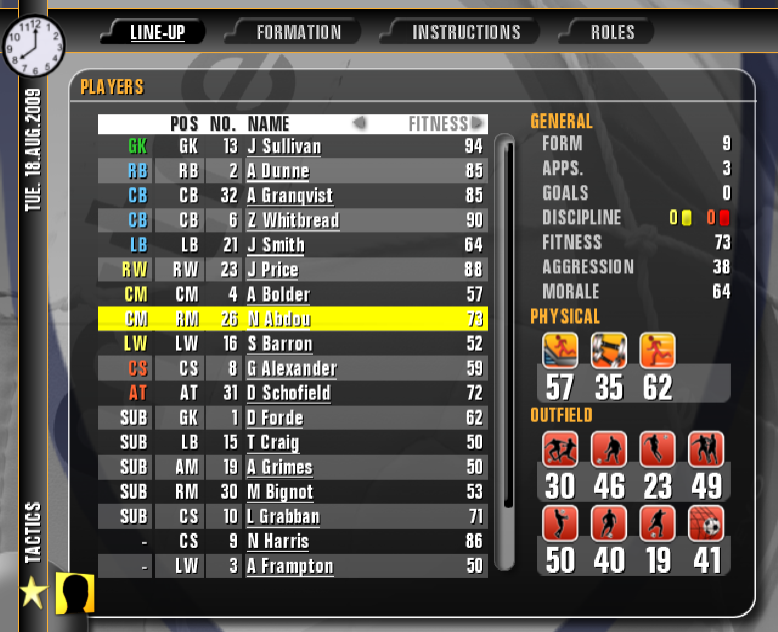
Definitely not the user interface, if that wasn’t obvious already. Or the graphics, for that matter.
Actually, is there anything I do like about this game? Well… managing your line-up is quite simple, I’ll give the developers that. It’s just a case of dragging and dropping a player’s name onto another player’s name to swap their places.
I also like how players are rated on several attributes, which you can view by opening up their profile. You can also see these attributes at a glance on the line-up screen, though the icons are so low-res that it can be hard to see immediately which one indicates Dribbling and which one indicates Shooting.
When match day comes, you won’t be short of advice. Your coach will indicate who’s pulling their weight and who isn’t, and even your players will warn you if they’re getting tired and want to be substituted. But that leads on to one of my main gripes with PM10…
WHAT I DIDN’T

…which is that this game is littered with some many UI issues that often require more clicks than necessary. When making a sub, for example, you’d click “Options”, then “Tactics”, you’d make your changes, return to the match, then click on “Options” again, and then “Continue” to unpause the match.
The 3D match engine isn’t up to snuff either. Visually, the ball is so tiny that it can be difficult to spot, especially on any of the faster settings. When on a slower setting, the ME looks as smooth as a dial-up Skype call with Max Headroom, though the rigid way in which players move around the pitch is sadly much clearer.
Other areas seem bugged to the point of being ‘broken’. Take transfers for example. Squad-building is hugely frustrating, especially as clubs will just laugh at you if you try to sign their players and will demand much higher fees even for transfer-listed players.
What’s more, every player NOT at your club needs to be scouted for their attributes to be displayed. Whether they play for Barcelona, Petržalka, or that Leeds team you thumped 2-0 last week, the game only gives you the most basic info about them until they’re scouted.
Don’t even bother scouting free agents. I asked my scout to take a look at Darren Huckerby, but even after two months, he didn’t have a clue about any of Huckerby’s attributes. This makes any offer you make to an unattached player feel like a blind stab in the dark.
Some of the feedback you get from your staff beggars belief too. My coach was often complaining that the players weren’t happy with the physiotherapist’s treatment of them, so I sacked him and brought in another, better one. A week later, the coach said that some of the players weren’t happy with this new physio! Who the heck did they want – Eva Carneiro?!
WE MUST TALK ABOUT
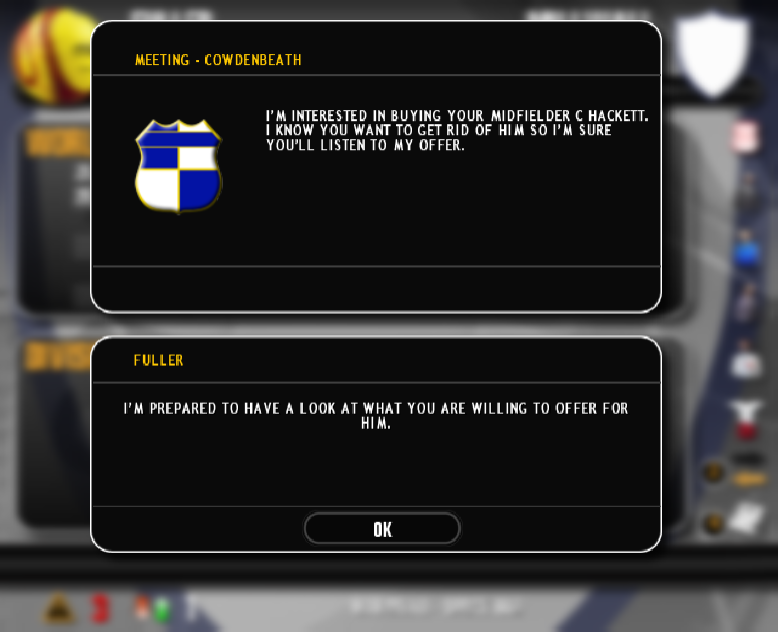
Transfers. Again. Whenever you receive a transfer offer in Football Manager, you can accept or reject it in a matter of seconds. Here’s how that process works in PM10…
So, I’m at my home screen, and it looks like I’ve got some new transfer messages to answer. [Clicks “Transfers” icon]
“Hey there. I manage Coatbridge Colts and I’d like to speak to you about your player Fred Bloggs.”
Now I can choose to “talk” to the Coatbridge manager or “dismiss” his request. [Clicks “Talk”]
Another message appears below that inviting me to respond, except there’s only one possible response:
“Yeah, I’m interested.”
[Clicks “OK”] Screen clears, and there’s another new message.
“I promise it’ll be worth your while. I wouldn’t make this offer if I wasn’t serious.”
Just give us your offer, Hamish. I haven’t got all day. [Clicks “OK”]
Then there’s a pop-up detailing the offer. Ah, so Coatbridge are offering us £30,000 for Fred Bloggs. Exactly the same as his value, as it happens. [Clicks “OK”]
Another new message:
“So, what do you reckon? Do we have a deal?”
I don’t see any yes-or-no options below that, so… I guess I’d better click “OK” again to bring them up. [Clicks “OK”]
Now I can make my decision. So I can accept the offer straight up, or I can click on the arrows to select a different response if I want to reject or negotiate the offer. No, wait, I can’t actually negotiate. Instead, I guess I’ll just pick the one that says:
“Pfff… whatever. It’s a deal.”
[Clicks “OK”] Cue another new message from Coatbridge:
“I’m happy we’ve reached an agreement. We’ll discuss a contract with Fred and then he’ll get back to you.”
[Clicks “OK”] Now get out of my office.
Rinse and repeat the process for every single transfer offer you receive. You’ll have a repetitive strain injury by the end of your first month.
SUMMARY

When reviewing a football management game, I usually give it a proper chance by playing it for one full season. On PM10, I didn’t even make it past August. Its clunky and ugly interface, laughable match engine and broken transfer mechanics made this an experience I didn’t enjoy a single minute of.
Even at £2.09 on the Steam store, I can’t recommend wasting any time on such a flawed game that virtually nobody asked to make a comeback. Some things deserve to be left in 2009 and completely forgotten about – like Ugg boots, “Big Top” and Joe McElderry – and Premier Manager 10 is another of them.
FULLER FM RATING: 1* – Sunday League.
It probably goes without saying, but that’s undoubtedly THE worst game I’ve reviewed so far in this series! If you have any thoughts on Premier Manager 10 and/or this review, feel free to let me know either in the comments below or on Twitter @Fuller_FM.
 Fuller FM
You must be logged in to post a comment.